
Multi-Location Inventory: Manage Multiple Locations from One Place
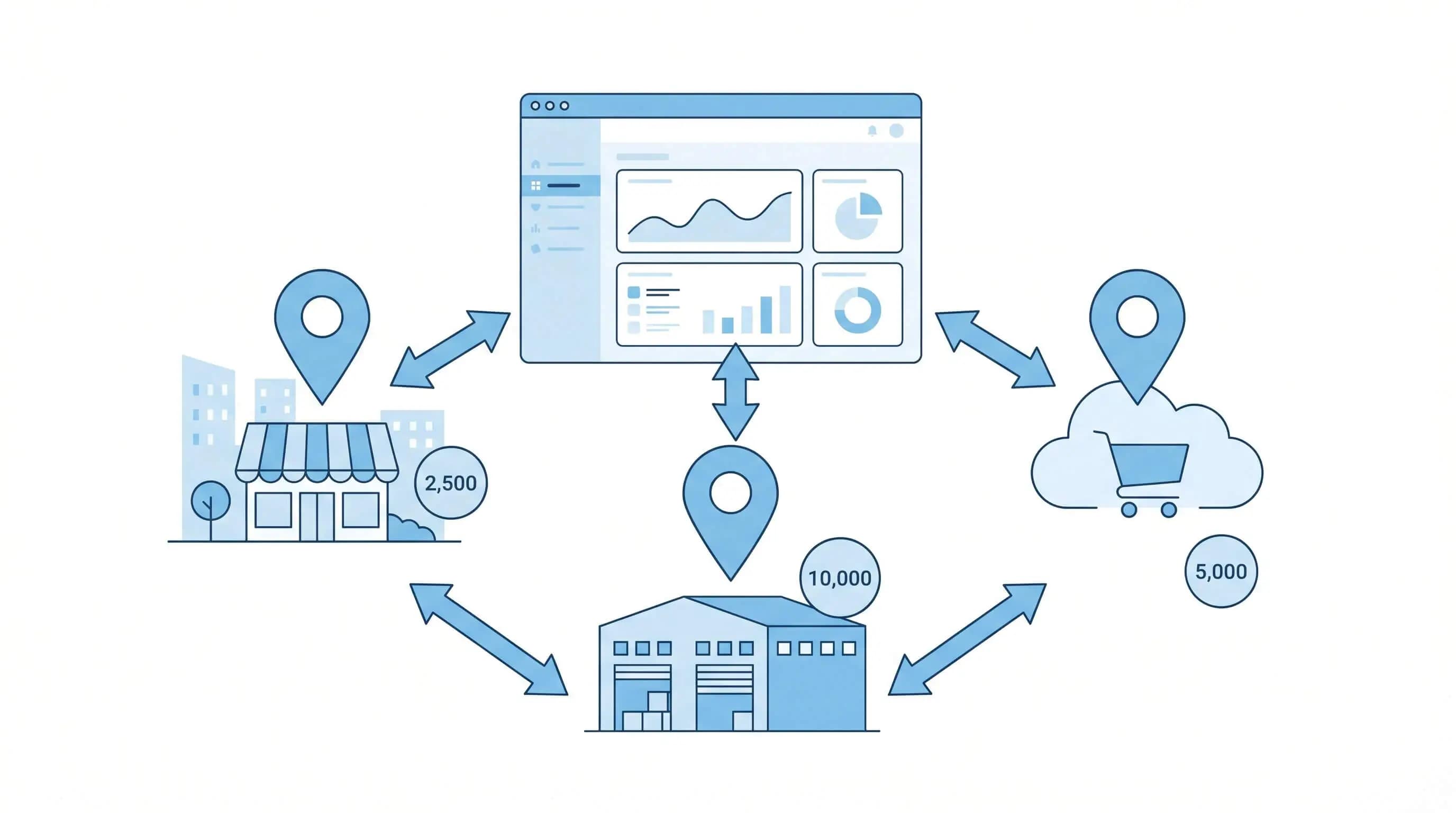
What is multi-location inventory management?
Multi-location inventory management means tracking products across multiple physical locations -- warehouses, stores, departments, or fulfillment centers -- through one centralized system. Instead of each location operating in its own silo, the entire organization sees in real time what is where.
In Finland this is especially relevant as many retailers expand to multiple cities or combine e-commerce with physical stores. When products are in Helsinki, Tampere, and an online fulfillment center, you need a system that shows the exact balance at every location.
When do you need multi-location management?
Multi-location management is not just for large enterprises. If you have even one of the following situations, you benefit from centralized control:
- Multiple retail stores in different cities
- Warehouse + showroom or display space
- Online fulfillment center + physical store
- Franchise locations, each with its own inventory
- Summer pop-up shop or market stall
Even managing two locations with a spreadsheet leads to errors. When one store sells a product, the other store's balance does not update -- and overselling happens.
Five key challenges of multi-location inventory
Visibility
Where are the products really? Real-time visibility into every location is the foundation everything else is built on.
Transfers
Moving products between locations requires tracking -- in transit, a product must not disappear from the system or appear in two places at once.
Replenishment
Different locations have different demand patterns. One store sells winter coats, another summer shoes -- reorder points must be set per location.
Consistency
Product data must be the same everywhere: price, description, barcodes, and categories. Different data at different locations creates errors.
Reporting
You need both a consolidated view and per-location breakdown. Total sales are good to know, but decisions are made per location.
Transfer management
Inventory transfer is one of the most critical processes in multi-location management. When a product leaves warehouse A for store B, its system status is crucial: it is no longer in warehouse A, but not yet in store B. Without an 'in-transit' status, the product either vanishes from the system briefly or shows in two places simultaneously.
Transfer process steps
- Transfer request created: sending location selects products and quantities
- Sending location picks and confirms shipment -- balance decreases at the sending location
- Products are in 'in-transit' status -- not available for sale at either location
- Receiving location inspects and confirms receipt -- balance increases at the receiving location
Always use 'in-transit' status for inventory transfers. Otherwise, the quantityAvailable figure becomes inaccurate and your online store may sell products that are not actually available.
Per-location optimization
One of the most common mistakes is using the same reorder points and safety stock levels across all locations. A store in a busy shopping center and a quiet suburban store do not sell the same products at the same volume.
Three per-location metrics
| Metric | What it measures | Why it matters |
|---|---|---|
| Location-specific reorder point | When to order more for this location | Prevents stockouts or overstocking per location |
| Safety stock per location | Buffer stock for demand fluctuation | Busy locations need a larger buffer |
| ABC analysis per location | Which product matters most at this location | A product can be A-class in one location and C-class in another |
Department-level tracking within a location
Sometimes a single location is so large that it needs internal division. For example, a large store might have a separate back warehouse, sales floor, and display shelf. Department-level tracking allows precise knowledge of where a product physically is -- whether it is in the back warehouse waiting to be shelved or already on display.
- Back warehouse: products not yet on the sales floor
- Sales floor: products actively displayed and available for sale
- Returns shelf: returned products awaiting inspection
- Display area: showroom items not for sale
Centralized vs decentralized receiving?
When goods arrive from a supplier, where are they received? There are two basic models, and the choice significantly impacts logistics and costs.
| Model | Pros | Cons |
|---|---|---|
| Centralized receiving (one warehouse) | Quality control at one point, easier management, better order volume discounts | Requires transfers to every location, slower replenishment |
| Decentralized receiving (direct to locations) | Fast replenishment, no transfers, less central warehouse needed | Quality control is scattered, orders are fragmented, less bargaining power |
Many Finnish businesses use a hybrid model: large replenishments through the central warehouse, urgent replenishments directly to the store. This combines the advantages of both models.
Finnish specifics in multi-location inventory
In Finland, multi-location management must account for long distances and logistics service specifics. Transfers from Helsinki to Oulu take 1--2 days via Posti or Matkahuolto, and shipping costs affect whether it is worth transferring small batches or waiting for a larger shipment.
- Seasonal locations: summer pop-ups, Christmas markets, and trade fair booths require rapid inventory setup and teardown
- Posti and Matkahuolto: for transfers, use parcel lockers and pickup points to manage costs
- Regional demand differences: the Helsinki area sells different products than Northern Finland -- consider this in inventory allocation
- VAT and accounting: transfers between locations are not sales events -- ensure your system treats them correctly for tax purposes
How does Inventa support multi-location inventory?
Inventa is designed from the ground up to support multiple locations. You do not need to buy a separate module or upgrade to a more expensive plan -- multi-location is built in.
Unified dashboard
See balances, sales, and alerts for all locations in one view. Drill down to a single location with one click.
Transfer management
Create transfer requests, track in-transit products, and confirm receipt. All steps are logged automatically.
Per-location analytics
ABC analysis, turnover, and sales data for each location separately. Make data-driven replenishment decisions.
Shopify sync
Inventa locations sync with Shopify locations. Your online store always sees the correct availability from every location.
Summary: getting multi-location under control
Multi-location management is not complicated when your system supports it. Start with these steps: ensure real-time visibility into every location, implement transfer management with in-transit status, define per-location reorder points and safety stock, and monitor performance both overall and per location. Shopify multi-location solutions also support this process.
Manage all your locations from one place
Related Articles
Retail Inventory Management: A Guide for Merchants
Comprehensive guide to retail inventory management. POS integration, shrinkage prevention, multi-location challenges, seasonal planning, and Finnish-specific requirements.
POS System and Inventory Management: Why They Belong Together
Disconnected POS and inventory systems cause errors, overselling, and wasted time. Learn how POS-inventory integration works and what benefits it brings.
Shrinkage Management: How to Reduce Losses in Your Store
Shrinkage costs Finnish retailers thousands of euros per year. Learn to identify shrinkage types, measure your shrinkage rate, and prevent losses in practice.